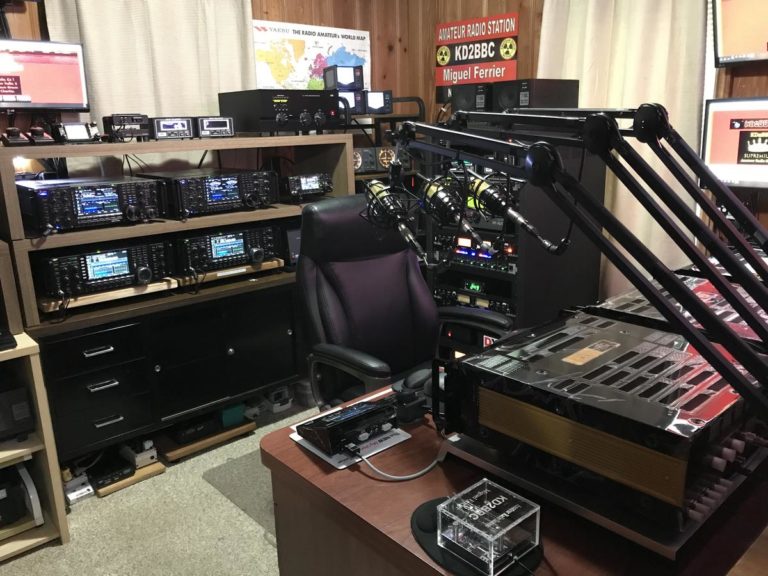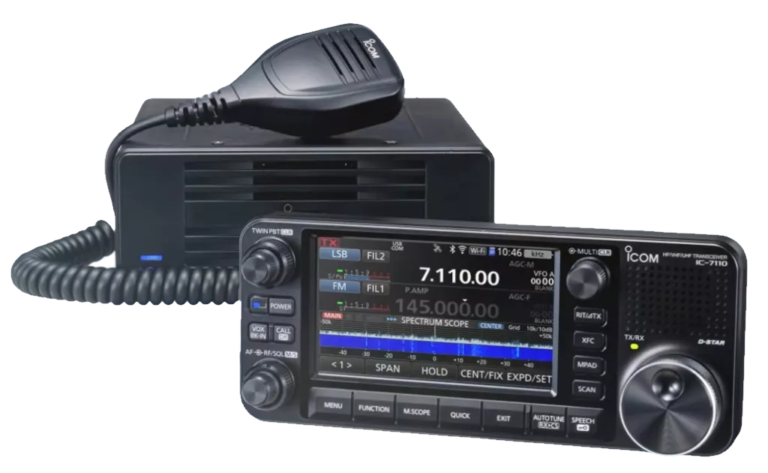
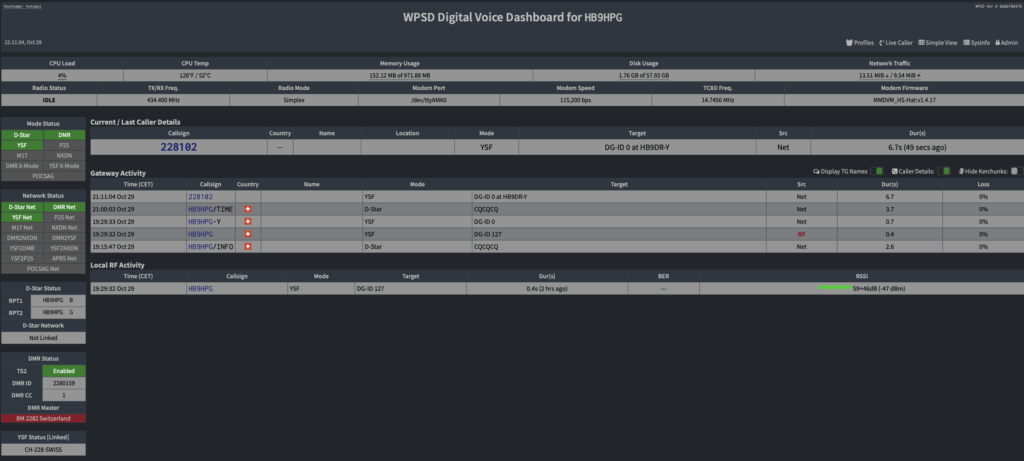
In the dynamic world of amateur digital radio, WPSD has established itself as a next-generation digital voice software suite, used by thousands of radio amateurs around the world for their personal hotspots and repeaters. In this in-depth article, discover all the features WPSD offers and how it can transform your amateur radio experience.
Introduction to WPSD
Originally developed by Chip Cuccio (W0CHP) in 2020 under the name "W0CHP-PiStar-Dash", the project has grown exponentially over time, to the point where the acronym WPSD has become the official name of the software, standing recursively for "WPSD Plausibly Signifies Divergence".
WPSD supports the digital voice modes DMR, D-Star, Yaesu System Fusion (YSF/C4FM), P25, NXDN, as well as the POCSAG data paging mode. As free and open source software (FOSS), WPSD is the modern evolution of Pi-Star, offering considerably extended features and a redesigned user interface.
Origin and evolution of the project
WPSD owes a great deal to the work of José Uribe (CA6JAU) for his MMDVM_HS firmware, and to Jonathan Naylor (G4KLX) for his suite of MMDVM tools, which form the foundation of the project. The software started as a major fork of Pi-Star, but quickly became a standalone project with its own identity and its own development path.
Did you know? When Pi-Star was no longer being actively updated, Chip W0CHP took the initiative to create WPSD, not only keeping the code up to date but adding many features and improvements. Today WPSD has an official development team (WPSD Core Dev Team) contributing to the project, turning what was originally a one-person project into a collaborative effort.
Supported digital modes
WPSD stands out for its full support of all the main digital voice protocols used in amateur radio. Here is a detailed overview of each supported mode:
📡 M17
Fully open source digital voice and data radio protocol launched in Poland by SP5WWP in 2019. It uses 4-level FSK modulation in a 9 kHz wide channel. No central registration is required, making it an ideal choice for experimenters.
📡 DMR (Digital Mobile Radio)
ETSI standard specification published in 2005. It uses TDMA with 4-level FSK modulation in a 12.5 kHz channel, effectively doubling channel capacity. WPSD supports BrandMeister, TGIF, DMR+, FreeDMR, HBlink and many other networks.
📡 D-STAR
One of the most popular digital modes, developed by the JARL (Japan). WPSD offers simplified configuration for connecting to D-STAR reflectors worldwide, making international communication easier.
📡 Yaesu System Fusion (YSF/C4FM)
Digital mode launched by Yaesu in 2013. WPSD offers full YSF support with advanced management of rooms and reflectors, for optimal use of this technology.
📡 P25 (Project 25)
A mode widely used by public services in North America. WPSD offers full support with management of P25 talkgroups and reflectors.
📡 NXDN
Digital protocol developed jointly by Kenwood and Icom. WPSD also supports this protocol, giving full coverage of all the major digital modes.
Compatible hardware
WPSD is available as installable disk images for many platforms and devices. This flexibility lets you choose the hardware that best suits your needs and budget.
🍓 Raspberry Pi (recommended)
- Raspberry Pi 5 - All RAM versions (2/4/8/16 GB)
- Raspberry Pi 4 - Excellent value for money
- Raspberry Pi 3 - Recommended minimum for all features
- Raspberry Pi 2 - Compatible but limited performance
- Raspberry Pi Zero 2W - Compact and efficient
⚠️ Important note: The first-generation Raspberry Pi Zero W (single-core v1.1) is not supported because it dates from 2015 and is too slow for WPSD's feature-rich nature. It is strongly recommended to use at least a Raspberry Pi 3 or a Pi Zero 2W to benefit from all the features.
🔧 Other compatible platforms
- Orange Pi - Various models supported
- Nano Pi Neo - Compact solution
- ZUMSpot - Turnkey hotspot
- DVMEGA - With native support
- BridgeCom series - Professional solutions
Suppliers such as ZUMradio, DVMEGA and BridgeCom use the official WPSD disk images on their products, built to their exact specifications and distributed free of charge thanks to the open source licence.
Installation and initial configuration
Hardware prerequisites
- A microSD card of at least 8 GB (Class 10 recommended)
- An image writing tool such as Balena Etcher or Raspberry Pi Imager
- A stable Internet connection for the hotspot
- A computer for the initial configuration
- Optional: a Nextion screen for a local display
Step-by-step installation procedure
- Download the right disk image for your device/platform from the official website w0chp.radio/wpsd
- Use Balena Etcher or Raspberry Pi Imager to write the image to your SD card (the .xz file is decompressed automatically)
- Insert the SD card into your hotspot and power it up
- Wait about 5 to 10 minutes for the first boot (the file system expands automatically and the system initialises)
- Connect to the temporary "WPSD-Setup" WiFi network created automatically by the hotspot
- Open the dashboard at http://wpsd.local in your web browser
- Set up your permanent WiFi network in the "Wireless Configuration" section
- Restart the hotspot to apply the WiFi settings
- Enter your callsign, DMR ID and other personal settings
- Select and configure the modes you want to use
⚠️ Important: If you use Raspberry Pi Imager, do NOT use the "advanced options" to create a user or change the password. WPSD handles these settings automatically at first boot.
💡 Tip: It is strongly recommended to run an update before configuring your hotspot. Once logged in, go to Admin → Update and wait for the update to finish. This makes sure you have the latest features and fixes.
DMRGateway architecture: the heart of the DMR system
A major change in WPSD is the move to DMRGateway instead of the older built-in DMR code. DMRGateway is now the ONLY supported way to configure and use DMR in WPSD. This modern architecture brings considerable advantages for users.
What is DMRGateway?
DMRGateway is DMR routing software that lets you connect your hotspot to several DMR networks at the same time. Unlike the old "Direct Mode" system, which only allowed a single connection to one DMR master, DMRGateway offers unprecedented flexibility.
DMRGateway capabilities:
- Connection to up to 6 DMR networks at the same time
- Smart routing of DMR traffic between the different networks
- Custom rules to direct traffic
- Prefix support to avoid talkgroup collisions
- Quick switching between networks without a full reconfiguration
Managing talkgroup prefixes
When using several DMR networks in DMRGateway mode, most networks require talkgroup prefixes to avoid overlapping and colliding numbers between the different DMR networks. Here is how WPSD handles these prefixes:
| DMR network | Prefix | Example of use |
|---|---|---|
| BrandMeister | 2 (or none if primary network) | TG 2228 to access TG 228 |
| DMR+ / FreeDMR / HB-Link | 8 | TG 8228 to access TG 228 |
| DMR2YSF / DMR2NXDN (Cross-Over) | 7 | TG 7 for cross-modes |
| TGIF network | 5 | TG 5228 for TGIF TG 228 |
| SystemX network | 4 | TG 4228 for SystemX TG 228 |
| XLX network | 6 | TG 6 + module to switch |
| Custom DMR network | 9 | TG 9228 (with Automatic Rewrite Rules) |
🎯 Primary network: One network can be selected as the Primary network on the configuration page. The default primary network is BrandMeister and no prefix is applied to it. This means you can use BrandMeister talkgroups normally (for example TG 228 instead of 2228) while still having access to the other networks through their respective prefixes.
Why prefixes are needed
Prefixes are essential for two main reasons:
- Avoiding collisions: Different DMR networks often use the same talkgroup numbers. Without prefixes, it would be impossible to tell BrandMeister's TG 228 from TGIF's TG 228.
- Enabling name lookup: Prefixes let WPSD automatically show talkgroup names in the interface, making it easier to identify active TGs.
Main dashboard features
The WPSD dashboard offers a modern, intuitive interface for monitoring and managing your hotspot in real time. The user interface has been considerably improved compared with Pi-Star, with larger visual elements, updated fonts and a clean design.
Main interface (dashboard)
- Latest contacts display: The dashboard shows details of the current and last station worked (name, callsign, location when available)
- Talkgroup names: Talkgroup names appear automatically in the target fields (BrandMeister DMR, NXDN and P25 support)
- Country of origin flags: WPSD shows country flags for callsigns, making geographical identification easier
- Mode status: Real-time view of the state of each enabled mode (TX/RX/Idle)
- System information: CPU temperature, uptime, software version
Advanced management features
Instant Mode Manager
The Instant Mode Manager lets you instantly pause or resume selected radio modes without going through the full configuration page. This feature is particularly useful for taking part in specific nets, reducing activity from a busy mode or temporarily stopping "mode hogging".
Link Managers
WPSD includes dedicated link managers for YSF, NXDN, P25 and M17 that let you change links, rooms, reflectors and talkgroups on the fly, directly from the admin page. Switch between reflectors or rooms in one click with no reconfiguration needed.
DMR Network Manager
The DMR Network Manager lets you instantly enable or disable the configured DMR networks, and quickly switch XLX reflectors and modules. It is extremely handy for temporarily pausing networks or talkgroups that are too busy, controlling time slots and managing static talkgroups.
Profile management system
The Profile Manager is a powerful feature that lets you save several complete configurations and switch between them instantly. You can create profiles for different situations:
Everyday profile
Default configuration with all your favourite modes enabled for normal everyday use.
Event/Net profile
A single mode enabled, optimised for taking part in a specific net or event without interference.
Travel profile
Mobile configuration with frequencies and networks suited to your travels.
Multi-user profile
Different profiles for different users or callsigns (ideal for clubs).
Update system
WPSD takes a "rolling release" approach, which means updates are published frequently with new features, bug fixes and security improvements.
Automatic nightly updates
Once WPSD is installed, it is kept up to date automatically by the built-in nightly update process between 01:00 and 03:59 local time. It is strongly recommended to leave your hotspot switched on 24/7 to benefit from the automatic nightly updates.
💡 Recommendation: As WPSD is continuously deployed software, updates are quick and frequent, making sure you always have the latest improvements.
Multi-mode and cross-mode configuration
One of WPSD's major strengths is its ability to handle several modes at the same time. You can enable and use DMR + D-STAR, YSF + P25, NXDN + M17 simultaneously, or even all the modes if your hardware allows it.
Cross-mode features
WPSD enables cross-mode communication between certain digital voice protocols. This revolutionary feature lets users of different modes talk to each other, considerably widening the communication possibilities.
Supported bridges: DMR to YSF, DMR to NXDN, DMR to P25 and DMR to D-STAR.
Advantages of WPSD for radio amateurs
Connection to 6 DMR networks at the same time
Centralised, intuitive web interface
Full support for M17 and emerging modes
From a simple hotspot to an advanced repeater
Always up to date with no intervention
Free, with an active community
Switch between configurations in one click
Communication between different modes
Differences from Pi-Star
Although WPSD started as a fork of Pi-Star, it has moved a long way from it and is now a separate piece of software with its own vision and direction.
🔄 Modern DMR architecture
DMRGateway is mandatory instead of direct mode. It allows connection to 6 networks at the same time.
⚡ Frequent updates
WPSD receives regular updates with new features and fixes.
💻 Modernised interface
Redesigned dashboard with a more intuitive interface and modern design.
🎯 Smart managers
Mode, link and network managers for quick changes without reconfiguration.
Community and support
The WPSD community is active and supportive. Support is available via:
- Facebook group: an active community of thousands of users
- Discord server: real-time discussion with users and developers
- User manual: complete online documentation, constantly updated
- Official website: w0chp.radio/wpsd for downloads and news
Conclusion
WPSD truly represents the modern evolution of amateur radio hotspot management, offering a complete and powerful suite of features for all the popular digital voice modes. Its DMRGateway-based architecture, advanced mode and network managers, flexible profile system and continuous updates make it a solution of choice for radio amateurs of all levels.
Whether you are a beginner looking to discover digital modes or an experienced user needing advanced configurations and maximum flexibility, WPSD offers the tools and capabilities to meet your needs.
Ready to discover WPSD?
Join the thousands of radio amateurs around the world who have already chosen WPSD for their hotspots and repeaters. Download WPSD today!
Download WPSD now →