📻 Ham Radio Deluxe: the complete software suite for radio amateurs
Ham Radio Deluxe (HRD) is the most popular software suite in the world for radio amateurs. With more than 40,000 users in 130 countries, this professional amateur radio software brings together 5 essential modules: station control, logbook, digital modes, satellite tracking and rotator control. In this complete guide, discover all the features of this must-have amateur radio software to get the most out of your amateur radio station.
📻 What is Ham Radio Deluxe?
Ham Radio Deluxe (HRD) is an integrated software suite combining five essential modules for radio amateurs. Originally developed by Simon Brown HB9DRV, this amateur radio software has become the worldwide standard for running a radio station.
The current version is v6.8.0.372 (February 2023), with a new version 6.9 in development bringing major improvements such as an SQLite database, a modern Qt interface and a dark mode long awaited by the amateur radio community.
The most widely used amateur radio software suite
A complete solution for your amateur radio station
Compatible with all amateur radio transceivers
Ergonomics designed for radio amateurs
Active amateur radio community
Continuous software development
🔧 The 5 modules of Ham Radio Deluxe for radio amateurs
📡 1. HRD Rig Control: full control of your amateur radio station
The HRD Rig Control module is the heart of this amateur radio software suite. It gives you full control of your transceiver through a rich graphical interface similar to an SDR (Software Defined Radio).
Main features:
- Universal CAT control: compatible with Yaesu, Icom, Kenwood, Elecraft, FlexRadio, Ten-Tec and more than 180 amateur radio transceiver models
- Customisable graphical interface: a complete library of symbols and colours to tailor the look to your amateur radio preferences
- Multi-transceiver control: control an unlimited number of transceivers at once, ideal for SO2R amateur radio stations
- Memory management: programme and quickly access your favourite frequencies as a radio amateur
- Built-in spectrum analyser: real-time display of the RF spectrum for your amateur radio station
- TCP/IP remote control: operate your amateur radio station from anywhere on your network
- Control of every setting: frequency, mode (USB, LSB, CW, FM, AM), power, filters, RF gain, attenuator, preamplifier
💡 Tip for radio amateurs: the Rig Control interface can be used alongside the other HRD modules. For example, you can have DM-780 open for digital modes while keeping your radio control visible in a corner of the screen.
📸 HRD Rig Control interface: the main screen shows a complete virtual control panel with frequency display, mode selector (USB/LSB/CW/FM), power control, S-meter, built-in spectrum analyser and customisable function buttons. The interface looks like a modern SDR, with professional ergonomics for radio amateurs.
📝 2. HRD Logbook: the professional logbook for radio amateurs
The HRD Logbook module is much more than a simple amateur radio logbook. It is a complete QSO management system with advanced features for DX chasers and amateur radio contesters.
Essential features:
- Automatic QSO logging: direct integration with all HRD modules for seamless logging
- Automatic callsign lookup: instant connection to QRZ.com, HamQTH and other amateur radio databases
- FT8/FT4/FT-X mode support: automatic logging via WSJT-X, JTAlert and QSO Relay for modern digital modes
- Built-in DX Cluster: view DX spots and click to tune your amateur radio station directly
- Full awards management: automatic tracking of DXCC, WAS, WAZ, IOTA and other amateur radio awards
- Automatic upload to multiple services: send your QSOs to LoTW (Logbook of The World), eQSL, Clublog, QRZ.com and HRDLog.net
- Propagation forecasts: grey line maps and historical solar data going back to 1899 to plan your amateur radio QSOs
- QSL card printing: design and print your own personalised QSL cards directly
- Multiple databases: support for Microsoft Access, MySQL and SQLite (v6.9)
- Universal ADIF export: full compatibility with all amateur radio software
- Advanced filters: ATNO (All Time New One), complex searches, detailed statistics
- Contest mode: dedicated features for amateur radio contests
✅ New in version 6.9: geographical maps, callsign photos from QRZ/HamQTH, and a dark mode for long night-time amateur radio operating sessions.
📸 HRD Logbook interface: the screen shows your logbook with customisable columns (date, time, callsign, band, mode, RST), real-time DX Cluster integration with colour-coded spots, an automatic QRZ.com callsign lookup window, award tracking (DXCC, WAS, WAZ) with visual statistics, and grey line propagation maps for planning your amateur radio QSOs.
💻 3. Digital Master (DM-780): a complete digital modes suite for radio amateurs
Digital Master (formerly DM-780) is probably the best amateur radio software for digital modes. It uses your sound card to encode and decode a wide range of digital modes used by radio amateurs.
14+ digital modes supported:
- PSK (Phase Shift Keying): PSK31, PSK63, PSK125, QPSK31, QPSK63, QPSK125, the most popular modes among radio amateurs
- RTTY (Radioteletype): Baudot mode with true FSK and AFSK support for traditional amateur radio operating
- CW (Morse): send and receive telegraphy, with K1EL WinKeyer support for CW radio amateurs
- SSTV (Slow Scan TV): send and receive images in Martin, Scottie and Robot modes for radio amateurs
- Contestia: a robust mode for difficult conditions, widely used by DX radio amateurs
- Olivia: excellent for weak signals, a favourite mode of radio amateurs in poor conditions
- MT63: a very robust multi-tone mode for disturbed propagation
- MFSK (Multi-FSK): MFSK8, MFSK16 for radio amateurs looking for robustness
- Thor and Throb: advanced digital modes for specialised amateur radio operating
- DominoEX: a fast, efficient mode popular with radio amateurs
- Hellschreiber (Hell): a historic visual telegraphy mode for nostalgic radio amateurs
- VOICE: voice audio processing to optimise SSB
DM-780 advanced features:
- SuperSweeper: decodes up to 40 QSOs at once in CW, RTTY or PSK, unique in amateur radio software!
- Super Browser: shows several simultaneous receptions so you can follow several amateur radio conversations
- Waterfall: real-time display of the audio spectrum, fully customisable
- Customisable macros: create pre-recorded messages to speed up your amateur radio exchanges
- RSID (Reed-Solomon ID): automatically identifies the mode used by the other amateur radio station
- Automatic break-in (QSK): pauses transmission so you can listen, as in traditional CW
- PSK Reporter integration: automatically sends your spots to PSK Reporter
- Electronic CW keyer: paddle support for CW radio amateurs
- MP3 recorder: audio capture of all your amateur radio QSOs
- Automatic CQ: adjustable timer for calling CQ repeatedly in amateur radio operation
- Built-in logging: automatic transfer to HRD Logbook
🎥 Video demonstrations available: many Ham Radio Deluxe demonstration videos are available on YouTube. Search for “Ham Radio Deluxe DM-780” or “HRD Digital Master tutorial” to see the software in action. The official HRD Software YouTube channel offers complete tutorials for beginner and advanced radio amateurs.
💡 Audio interface for radio amateurs: DM-780 works with any sound card, but for best performance use a dedicated audio interface such as the SignaLink USB, Tigertronics or DigiRig. These interfaces are designed specifically for radio amateurs and provide optimal isolation.
🛰️ 4. HRD Satellite Tracking: satellite tracking for radio amateurs
The HRD Satellite Tracking module makes satellite communication radically simpler for radio amateurs. It automates the complex tasks of tracking and Doppler correction.
Satellite features:
- Automatic real-time tracking: continuous calculation of the position of all active amateur radio satellites
- Automatic Doppler correction: real-time frequency adjustment to compensate for the satellites' Doppler shift
- Built-in rotator control: automatic azimuth/elevation steering of your antennas for satellite tracking
- Google Earth integration: 3D view of the satellite's track for amateur radio planning
- Pass prediction: calculates the windows of opportunity for each satellite from your amateur radio QTH
- TLE database: automatic update of orbital elements from Celestrak/Space-Track
- Satellite modes: support for all modes (V/U, U/V, L/V, etc.) used in amateur radio
- Pass alerts: notifications before your favourite satellites pass overhead
📸 Satellite Tracking interface: the screen shows a world map with real-time satellite tracks, a list of active amateur radio satellites (ISS, SO-50, AO-91, FO-29), pass predictions with times and maximum elevation, visibility indicators, automatic Doppler correction, and azimuth/elevation rotator controls for satellite radio amateurs.
✅ Supported amateur radio satellites: ISS (International Space Station), SO-50, AO-91, AO-92, FO-29 and all active AMSAT satellites. The database is updated regularly for the amateur radio community.
📡 5. HRD Rotor Control: automatic antenna rotator control
The HRD Rotor Control module lets radio amateurs control their antenna rotators automatically, directly from Ham Radio Deluxe.
Compatible rotators for radio amateurs:
- Yaesu: G-5500, G-800, G-1000, G-2800 (azimuth + elevation rotators popular with radio amateurs)
- HyGain: the whole range (HAM-IV, T2X, TailTwister) for amateur radio stations
- Green Heron Engineering: RT-21 and DCU-1 advanced controllers for demanding radio amateurs
- M2 Antenna Systems: RC2800, OR2800 for directional amateur radio antennas
- AlfaSpid: RAK and RAS precision azimuth/elevation rotators for radio amateurs
- Easycom: universal interface compatible with most amateur radio rotators
- Idiom Press: RotorEZ for simplified control
- FoxDelta: budget controllers for radio amateurs
Control features:
- Interactive world map: click on a country or area to point your amateur radio antenna automatically
- Automatic rotation from the Logbook: the antenna turns towards the station you are working or the DX spot you clicked
- Azimuth/elevation support: for satellite and EME (Earth-Moon-Earth) amateur radio operation
- Custom presets: save favourite positions for your main amateur radio directions
- Automatic calibration: setup wizard for each rotator type
- Real-time position display: azimuth/elevation shown on a map
💡 Tip for DX radio amateurs: combine HRD Rotor Control with the Logbook's DX Cluster. When you click on an interesting DX spot, your antenna automatically turns towards the station and your radio tunes to the frequency. The perfect setup for a DX-chasing radio amateur!
🔗 Seamless module integration for radio amateurs
The real strength of Ham Radio Deluxe lies in the full integration of its five modules. Here are some concrete examples of this synergy to get the most out of your amateur radio station:
📡 DX Cluster + Rig Control
Click on a DX spot in the Logbook and your radio automatically tunes to the frequency. An essential feature for any DX radio amateur!
💻 DM-780 + Logbook
All your digital mode contacts (PSK31, FT8, RTTY) are automatically recorded in your amateur radio logbook.
📝 Logbook + Rotor Control
Your antenna automatically turns towards the station you are working. Ideal for a radio amateur with a directional antenna!
🛰️ Satellite + Rig + Rotor
Fully automatic tracking: Doppler correction + antenna pointing. The ultimate solution for satellite radio amateurs!
🔍 All modules + QRZ.com
Instant information on any station: photo, QTH, equipment, available for every radio amateur you work.
📊 Logging + LoTW/eQSL
Automatic upload to all the electronic confirmation services used by radio amateurs.
💻 System requirements for radio amateurs
Operating system:
- Windows XP / Vista / 7 / 8 / 10 / 11 (32-bit and 64-bit supported)
- Requires the .NET Framework (installed automatically)
- Compatible with Windows Server for advanced amateur radio installations
Minimum requirements for radio amateurs:
- Processor: Intel Core i3 or equivalent (i5/i7 recommended for SO2R)
- RAM: 4 GB minimum, 8 GB recommended for a complete amateur radio station
- Disk space: 500 MB for the software + space for your amateur radio logs
- Screen: 1920x1080 minimum (multiple screens recommended for radio amateurs)
- Sound card: built-in is enough, an external audio interface is recommended for digital modes
Radio compatibility: 180+ amateur radio transceiver models
Ham Radio Deluxe supports more than 180 transceiver models from all the main manufacturers used by radio amateurs:
| Manufacturer | Popular amateur radio models |
|---|---|
| Icom | IC-7300, IC-7610, IC-9700, IC-718, IC-756 Pro III, IC-7851, IC-7600, IC-7410, IC-7100 (very popular radios among radio amateurs) |
| Yaesu | FT-991A, FT-450D, FT-857D, FT-100D, FTDX-10, FTDX-101D, FT-710, FT-818 (a complete range for radio amateurs) |
| Kenwood | TS-450S, TS-590SG, TS-2000, TS-890S, TS-480, TS-990S (professional amateur radio transceivers) |
| Elecraft | K3, K3S, KX3, KX2, K4 (high-end radios for demanding radio amateurs) |
| FlexRadio | Flex-6000 series, Flex-3000 (advanced SDRs for radio amateurs) |
| Ten-Tec | Orion, Eagle, Jupiter (American radios for radio amateurs) |
| Others | Xiegu (G90, X6100), Lab599 (TX-500), (X)IEGU and other emerging amateur radio brands |
✅ Checking compatibility: see the full, up-to-date list at hamradiodeluxe.com/supported-radios to confirm that your amateur radio transceiver is supported.
Interfaces needed for an amateur radio station
📡 CAT interface (Computer Aided Transceiver):
- RS-232 serial port: native DB9 cable or USB-serial adapter for older transceivers
- Native USB port: most modern amateur radio transceivers have a built-in USB port
- Recommended cables: official manufacturer or RT Systems cables; avoid the Prolific PL-2303 (driver problems)
🔊 Audio interface for amateur radio digital modes:
- SignaLink USB: the most popular interface among radio amateurs, plug & play, ~USD 130
- Tigertronics SignaLink: model-specific versions for each radio
- DigiRig Mobile: compact and affordable for portable radio amateurs, ~USD 70
- RigBlaster: a range of professional interfaces for fixed amateur radio stations
- External USB sound card: a budget solution with home-made cables (requires some amateur radio DIY)
📡 Rotator interface (if applicable):
- Serial or USB port depending on the amateur radio rotator controller model
- Specific cables supplied with each rotator
💰 Ham Radio Deluxe pricing for radio amateurs
⚠️ Version history: Ham Radio Deluxe was free for more than 10 years under Simon Brown HB9DRV. The last free version is 5.24.38 (October 2012), still available for radio amateurs on a tight budget. Since version 6 (2013), the software has been paid for, after its takeover by HRD Software LLC.
Current licence options
🆕 New customers
- Perpetual lifetime licence
- 5 simultaneous activations
- 12 months of support + new features
- Free updates (bug fixes/improvements)
- All 5 modules included
- 30-day free trial
🔄 Annual renewal
- 12 months of technical support
- Access to new features
- Optional (not compulsory)
- Licence stays active without renewal
- Priority support on the forums
The licence model explained for radio amateurs
💡 How does the HRD licence work?
- Perpetual licence: you own the amateur radio software FOR LIFE, it is NOT a subscription
- Permanent activation key: your key NEVER expires, even without renewal
- 5 computers at once: activate HRD on your shack PC, laptop, tablet, etc.
- Ongoing free updates: bug fixes and improvements to existing features WITHOUT renewal
- Major new features: require an active renewal (USD 49.95/year)
- Without renewal: the amateur radio software keeps working indefinitely with your version
✅ A concrete example for radio amateurs: you buy HRD in 2025 for USD 99.95. You use it without ever renewing. In 2030, you can still use all the features and download bug fixes, but major new features added after 2026 will not be available. It is a fair model for radio amateurs!
Additional purchase options
| Option | Price (USD) | Description |
|---|---|---|
| Gift for a radio amateur friend | USD 99.95 | Give a full HRD licence to a fellow radio amateur |
| Custom logbook conversion | USD 49.99 | Migration service from other amateur radio software (Logger32, DXLab, etc.) |
| Eltima Virtual Serial Port | USD 139.95 | For simultaneous access to the radio by several amateur radio programs |
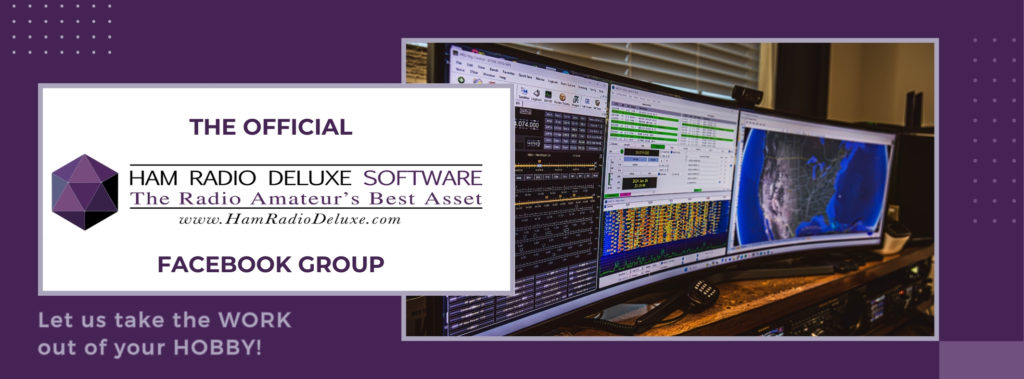
🖥️ Multi-screen setup for an amateur radio station
A feature much appreciated by radio amateurs is the ability to use Ham Radio Deluxe across several screens at once for optimal ergonomics.
📺 Screen 1: main control
HRD Rig Control + Logbook with the DX Cluster always visible to keep an eye on amateur radio spots
💻 Screen 2: digital modes
DM-780 full screen with waterfall, receive windows and macros for digital amateur radio operating
🗺️ Screen 3: propagation & satellites
Grey line propagation maps, satellite tracking and rotator control for a complete amateur radio station
📱 Tablet: monitoring
Remote TCP/IP access to keep watch from another room or a remote amateur radio QTH
🆕 What's new in version 6.9 for radio amateurs
Version 6.9 of Ham Radio Deluxe brings significant improvements long awaited by the amateur radio community:
✨ Major improvements in version 6.9:
- SQLite database: replaces Microsoft Access for greater stability, better performance and faster processing of amateur radio logs
- Modern Qt interface: a more flexible graphics framework, better 4K high-resolution support for radio amateurs
- Dark mode: for comfortable night-time operating and less eye strain for the radio amateur
- Unlimited stations: manage several callsigns/stations with no limit (ideal for amateur radio clubs)
- Gmail/Yahoo OAuth: secure authentication for amateur radio email notifications
- Improved context help: direct links to the online manual from every window
- Stronger cloud integration: easier syncing with online services (LoTW, Clublog, QRZ)
- Richer maps and images: automatic display of QTH maps and QRZ/HamQTH photos in the Logbook
- Historical solar data: access to data going back to 1899 for amateur radio propagation analysis
📚 Resources and support for radio amateurs
Official documentation
- Complete online manual: detailed documentation for each module at support.hamradiodeluxe.com
- Knowledge base: FAQs and technical articles to solve common amateur radio problems
- Official community forums: active mutual help between radio amateurs who use HRD
- Ham Radio Deluxe YouTube channel: video tutorials and demonstrations for beginner radio amateurs
- Official blog: HRD news, tips and new features for radio amateurs
Technical support for radio amateurs
🎫 Ticket system
Priority support by ticket for customers with active support. Replies within 24-48 hours for radio amateurs.
💬 Official forums
A very active community of experienced radio amateurs sharing advice and solutions.
🇨🇭 Help in Switzerland
For help closer to home, ask at your local club, such as HB9V (Radio Amateurs of Canton Vaud), or on the USKA forums.
📺 Video tutorials
YouTube channel with complete demonstrations for radio amateurs of all levels.
🔧 Troubleshooting common amateur radio problems
| Problem | Possible causes | Solutions for radio amateurs |
|---|---|---|
| Radio not detected | Wrong COM port Missing drivers Faulty cable | Check Windows Device Manager Install USB-serial drivers Test the cable with other amateur radio software |
| No sound in DM-780 | Wrong sound card selected Incorrect audio levels | Options > Sound Card Setup Check the Windows mixer Test with other amateur radio digital software |
| Slow Logbook | Large Access database Missing indexing | Compact the database Migrate to SQLite (v6.9) Archive old amateur radio QSOs |
| RFI in the shack | Poorly shielded cables Inadequate grounding Ground loops | Ferrites on USB/audio cables Improve the amateur radio station earthing Keep RF and PC cables apart |
| Frequent crashes | Corrupted .NET Framework Antivirus conflict Outdated drivers | Reinstall the .NET Framework Exclude HRD from the antivirus Update Windows drivers for amateur radio use |
⚖️ Comparison with other amateur radio software
| Amateur radio software | Price | Advantages | Disadvantages |
|---|---|---|---|
| Ham Radio Deluxe | USD 99.95 | Complete integrated suite, 5 modules, excellent support, professional interface | Paid, Windows only, English-only interface |
| Logger32 | Free | Free, very comprehensive, large amateur radio community | Dated interface, learning curve, no built-in digital modes |
| DXLab Suite | Free | Free, modular, very powerful for advanced radio amateurs | Complex setup, austere interface, not intuitive |
| N1MM Logger+ | Free | Free, excellent for amateur radio contests, very efficient | Contest-oriented only, no built-in digital modes |
| Log4OM | Free | Modern, free, pleasant interface for radio amateurs | Fewer features, smaller community |
| WSJT-X | Free | Free, the leader for FT8/FT4, frequently updated | FT modes only, no built-in logbook |
💡 Verdict for radio amateurs: Ham Radio Deluxe positions itself as the premium “all-in-one” solution. If you are looking for a complete professional suite with excellent support and would rather pay than set up multiple programs, HRD is the best choice. For radio amateurs on a tight budget, DXLab Suite or Logger32 are excellent free alternatives.
🎓 Tips for getting started with HRD (beginner radio amateurs)
📖 A learning plan for radio amateurs
Week 1: installation and Rig Control:
- Download and install HRD (30-day trial)
- Set up only HRD Rig Control to begin with
- Test controlling your amateur radio transceiver
- Explore the interface and customise the colours
- Don't rush into the other modules!
Week 2: Logbook and logging:
- Set up HRD Logbook with your amateur radio details
- Import your existing log (ADIF format)
- Make a few QSOs and log them
- Set up the QRZ.com connection (free)
- Explore the statistics and awards
Week 3: DX Cluster and awards:
- Connect to a DX Cluster (DXSummit, HB9DRV)
- Practise clicking on spots for automatic tuning
- Set up LoTW and eQSL for amateur radio confirmations
- Explore tracking of your awards (DXCC, etc.)
Week 4: digital modes (DM-780):
- Install an audio interface (SignaLink or equivalent)
- Set up DM-780 with your sound card
- Start with PSK31 (the easiest for a radio amateur)
- Create your own macros
- Test automatic logging to the Logbook
✅ Conclusion: Ham Radio Deluxe, the benchmark amateur radio software
Ham Radio Deluxe fully deserves its reputation as the most popular amateur radio software in the world. With its 5 seamlessly integrated modules, support for 180+ transceivers and an active community of 40,000 users, HRD is the ideal investment for any radio amateur wanting to modernise and optimise their station.
A complete all-in-one suite for radio amateurs
Modules work together seamlessly
180+ radios, all amateur radio brands
14+ modes for digital amateur radio activities
40,000 radio amateur users
Perpetual, no forced subscription
Who is Ham Radio Deluxe for?
✅ Ideal for:
- Radio amateurs looking for a professional all-in-one solution
- Fixed HF/VHF/UHF stations with a dedicated PC
- DX chasers and amateur radio contesters
- Digital mode enthusiasts (PSK, RTTY, FT8)
- Satellite and EME radio amateurs
- Multi-screen users wanting optimal ergonomics
⚠️ Less suited to:
- Very tight budgets (free alternatives exist)
- Linux/Mac users (Windows required)
- Radio amateurs who only operate portable/QRP mobile
- Minimalist stations without a fixed PC
- Users who need an interface in another language (English only)
Final verdict for radio amateurs
⭐⭐⭐⭐⭐ (5/5): excellent amateur radio software
Ham Radio Deluxe is the best software investment for a serious radio amateur. The price of USD 99.95 may seem high, but it actually represents the cost of 5 specialised programs bought separately. The perpetual licence, the 5 simultaneous activations and the seamless integration of the modules more than justify the price for any radio amateur who uses their station regularly.
There is a learning curve, but the comprehensive documentation and the active community make getting started much easier. Once mastered, HRD becomes an indispensable companion for all your amateur radio activities, from everyday QSOs to intensive DX chasing.
73 and good QSOs with Ham Radio Deluxe! If you are a radio amateur in Switzerland, feel free to join the Radio Amateurs of Canton Vaud (HB9V) to talk about software and get help with your HRD installation. The Swiss amateur radio community is always ready to share its experience!